
workOSh
The operating system for human work.
For verification, collections, audit, and survey teams — assign the visit, capture proof, invoice and settle in one workspace.
Without a system
Human work without a system.
Chats, sheets, and phone calls are a poor record of who did the work, what was proved, and what is still owed—whether the team sits at a desk or goes on site.
See how it worksTasks scatter
Work is handed out in chats and sheets. Nobody can see what is open, late, or still unassigned.
Proof goes missing
Photos and answers stay on a phone or in email. There is no report the client can trust.
Invoices wait
Finished tasks never become a client charge until someone rebuilds the list by hand.
Payouts drift
Each person’s share is worked out later, and the record of what was paid is incomplete.
Use cases
Built for work that needs a person, proof, and a payout.
The same workspace covers a verification visit, a collection route, a store audit or field survey, and the invoice that follows.
01Verification visits
Confirm a person, an address, or a document, and leave with a photo and a report.
02Collections
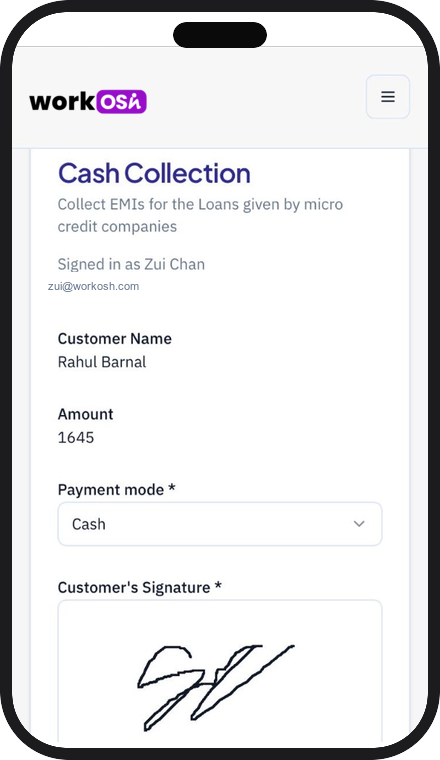
Assign the route, capture the visit, and settle each person’s share when the work is done.
03Audits & surveys
Run store audits, quality checks, or field surveys with the same task, proof, and review loop.
04Desk and field together
Reviewers at a desk and people on the ground share one task list, one form, and one record.
Built for
- Verification teams
- Collections routes
- Field audits & surveys
- Desk review + field ops
Payroll and contract field agents on the same jobs, proof, and settlements.
In the field
The visit is the record.
Photo, location, and answers attach to the same task—so the doorstep becomes proof the desk and the client can trust.

How it works
From a service definition to a paid settlement.
Three steps. The person doing the work, the proof, and the money stay connected.
01
Define the service
Set the fields, linked forms, due dates, pricing, and who is eligible to do the work.
02
Assign the task
Create one task or upload a sheet. Assign it by hand, or let eligibility pick the right person.
03
Close the loop
Collect the form, generate the report, invoice the client, and settle the person’s share.
In the product
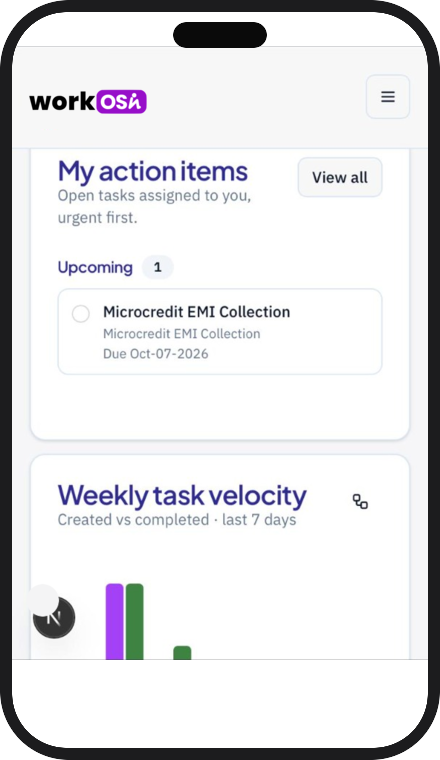
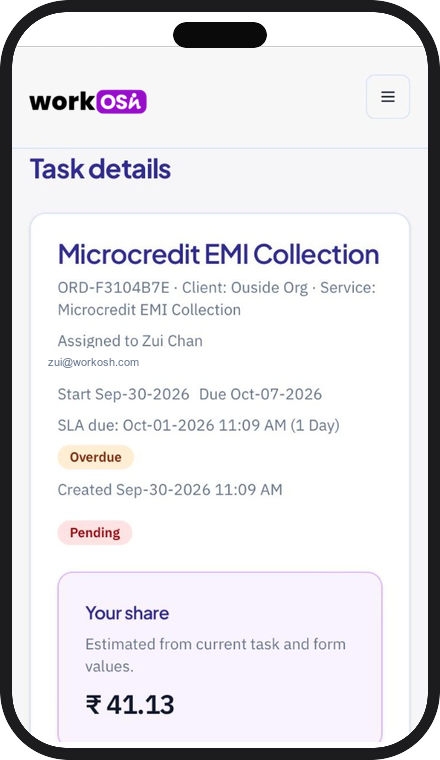
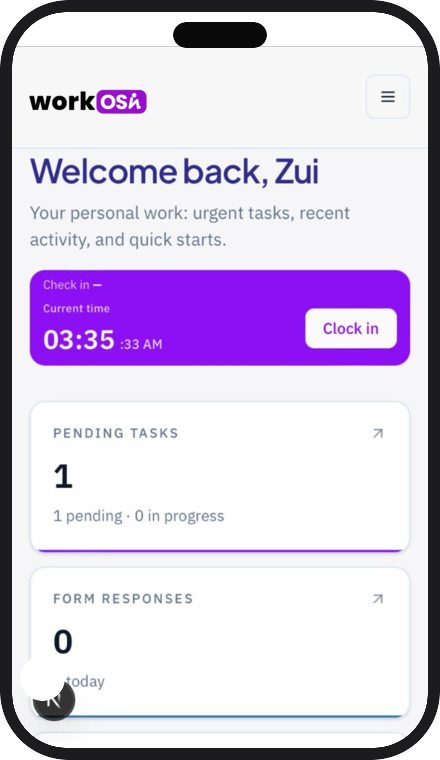
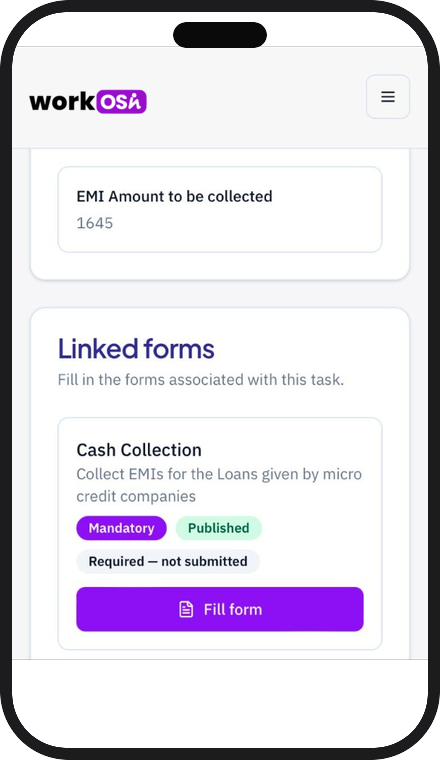
See the work, the proof, and the money.
One loop
Assign it, prove it, and pay it from the same place.
Proof, then payment.
The task, the invoice, and the settlement stay on the same completed record.
Core capabilities
Everything the work needs.
The tools already inside the dashboard, for the people deciding whether to run their operation here.
Services
Each kind of work lives in one place: fields, forms, timeline, price, and assignment rules.
Tasks
A list and a board for work in flight. Update status, dates, and assignees, or reinitiate a finished task.
Proof when it matters
Photos, coordinates, and a PDF report template when the job needs evidence—not only in the field.
Invoices & settlements
Raise a client invoice from completed tasks, then pay each person’s share with a clear transfer record.
For each organization
A workspace for each organization.
Start from a setup template, then make the product yours. Roles, profile fields, and dashboards come with the template. Your name, logo, and colors stay yours.
- Notify the team in the app, or through email, SMS, and WhatsApp.
- Give each role a dashboard and only the menus they should see.
- Subscription, usage, and invoices for the organization sit beside the work.
One workspace. The work, the proof, and the settlement.
One workspace
Services, tasks, forms, clients, and money stay in the same organization.
Proof with the work
Photos, coordinates, and a report template travel with the person doing the job—desk or doorstep.
Roles that fit the job
Each person sees the menus and the dashboard their role is allowed to use.
Money follows the work
Invoices and settlements start from the task, not from a sheet rebuilt later.
Pricing
Start free. Then run it your way.
Pilot on a free trial, then choose a managed deployment on your cloud or an enterprise engagement with customization and support. No published rates — we size each engagement with you.
Trial
Experience the full workflow on a small team before you commit.
Free
Limited seats & volume · enough to run a real pilot
- Services, tasks, forms, and proof capture
- Limited seats, monthly tasks, clients, and storage
- Basic invoices and settlements
- Email notifications
- Self-serve setup
Managed cloud
We run workOSh for you on your cloud — your data, our ops.
Let's talk
Dedicated instance · sized to your volume
- Managed deployment on your cloud
- Services, tasks, proof, invoices & settlements
- Client portal for banks, NBFCs, and brands
- WhatsApp, SMS, and email notifications
- Roles, org branding, and usage controls
- Managed updates and uptime
Enterprise
Custom workflows, integrations, and support for large panels.
Let's talk
Built around your process · customization & support
- Everything in Managed cloud
- Custom workflows, forms, and report templates
- SSO and bank-panel style rollouts
- Dedicated onboarding and success
- Priority support and SLAs
- Integration help for your stack
Client portal logins for your bank, NBFC, and brand users stay free on every plan. Not sure which fit? Tell us how you run field work.
Contact us
Let’s talk about your workspace.
Tell us who you are and what work you run. We’ll get back to you.
Or email info@workosh.com